
What Is Enterprise Automation? A Practical Guide

Key Takeaways
- Enterprise automation uses AI-enabled software to automate and optimize business processes tied to ERP systems like SAP, Oracle, and Infor.
- It delivers real ROI by improving speed, accuracy, and visibility across AP, AR, HR, and Order Management.
- Touchless automation (Straight-Through Processing) removes manual work and minimizes errors.
- ERP-driven organizations gain the most from automation by bridging structured workflows with unstructured documents.
- Automation is a strategic tool — not just for IT, but for CFOs, Controllers, and Ops leaders looking to scale efficiently.
- IntelliChief enables scalable, ERP-integrated automation with intelligent data capture, analytics, and best-practices consulting.
Enterprise automation is no longer a buzzword—it has become a boardroom priority. With global supply chain disruptions, shrinking workforces, rising operating costs, and ever-increasing pressure to do more with less, automation has emerged as the most reliable way for organizations to gain speed, accuracy, and agility for their processes.
For decision-makers who are still exploring what enterprise automation is, it refers to the use of AI-enabled software that automates repetitive business processes and, with some platforms, integrates directly with enterprise-class ERP systems to eliminate inefficiencies and reduce operational costs.
Particularly for companies that rely on ERP platforms like SAP S/4HANA, Oracle E-Business Suite (EBS), JD Edwards, and Infor, automation isn’t just the next step when scaling your business—it’s the infrastructure required to remain competitive, no matter the size of your organization.
And it’s not just operational teams that will experience the impact of automation. CFOs want better visibility. IT requires scalable integrations. Operations leaders expect a faster turnaround without burning out staff. With AI-enabled enterprise automation software like IntelliChief, each departmental goal is within reach.
What Does “Enterprise Automation” Actually Mean?
If you’re wondering what enterprise automation is, at IntelliChief, we’re not just referring to generic tools that can only handle basic task tools or process triggers, we’re referring to a sophisticated, AI-driven solution that:
- Intelligently captures unstructured data from documents (email, PDF, scanned files)
- Validates and enriches data using ERP-native rules and logic
- Automatically enters and processes data into enterprise-class ERP systems like SAP, Oracle, or Infor
- Enables touchless processing (also known as Straight-Through Processing or STP)
- Provides real-time analytics and dashboards for tracking performance and compliance
This is enterprise-grade automation of business processes at scale—purpose-built for ERP environments and mission-critical operations.
To further clarify what enterprise automation is, it’s not just about technology—it’s about transforming the way large enterprises operate, from manual to modern, with measurable impact on cost, accuracy, and speed.
Why ERP-Driven Organizations Gain the Most from Automation
Enterprise-class ERP systems are powerful, but they were never designed to handle unstructured documents or execute high-volume data processing without human intervention. This is where enterprise automation software delivers its highest ROI.
For organizations using platforms like SAP ECC or S/4HANA, Oracle JD Edwards or EBS, and Infor Global Solutions, automation bridges the gap between structured ERP workflows and the unstructured chaos of paper, emails, and PDFs.
Common high-value automation use cases include:
- Accounts Payable (AP): Automating invoice capture, 3-way matching, code line items to the general ledger, and approvals
- Accounts Receivable (AR): Digitizing remittance data, automating cash application, improving collections
- Sales Order Processing: Extracting data from inbound orders and creating sales orders in the ERP
- Human Resources (HR): Automating document intake, onboarding forms, and policy acknowledgments
- Compliance and Audit: Digitally storing documents with full traceability and version history
If you’re assessing why automation is good for business, look no further than these high-volume workflows. The improvements in speed, accuracy, and resource allocation deliver meaningful operational and financial outcomes.
3 Business Reasons Why Enterprise Automation Software Is on the Rise
Automation Saves Valuable Time
Automation was once viewed as the future of technology before it became a reality. Today, automation has been scaled up and down to meet the daily challenges of organizations spanning countless industries across the globe. If you’re still in the camp that believes Enterprise Automation is just a trend, it might be time to take a second look at what Automation can do for you and your business.
Across platforms like Twitter, LinkedIn, and Reddit, automation continues to dominate public discourse. Conversations about the “future of work” — particularly those centered on automation and RPA — are increasingly positive. Rather than focusing on job loss, the narrative now emphasizes how automation enhances working conditions, boosts productivity, and empowers teams to do more meaningful work. IntelliChief takes this a step further by delivering enterprise-grade business process automation specifically designed for ERP-driven enterprises.
It’s no secret that automation technology works faster than humans. It doesn’t need to “think” or “consider” letters or numbers before taking an action; instead, actions are taken automatically whether or not a human worker is available to push a process through to the next step. Automation doesn’t take sick days or vacations and it’s not limited to 40-hour workweeks or the costly constraints of overtime. Therefore, it’s unsurprising that in the analysis mentioned above, 30 percent of respondents mentioned saving time when discussing automation.
It might be a well-worn cliché, but there’s no hiding from the fact that time is money. With Enterprise Automation, you can assign menial, time-consuming tasks to automation so your team can focus on the things automation isn’t as well-equipped to handle. With IntelliChief’s Data Entry Automation solution, organizations eliminate manual keystrokes by capturing structured data directly from invoices and forms — reducing errors and accelerating processing time.
Automated Business Processes Yield Valuable Analytical Data
Still not convinced that automation is more than a passing trend? Consider this: 25 percent of automation-related conversations taking place on social media reference big data analysis as a primary driver for implementing automation. When business processes are automated, they gain the ability to automatically track productivity from start to finish, allowing C-level executives to glean valuable insights and make informed decisions on a rolling basis. No more waiting for the end of the quarter to figure out what went wrong and why. Using Document Analytics from IntelliChief, executives gain real-time visibility into workflow performance — identifying bottlenecks and optimizing processes before they impact ROI.
Humans and Automation Can Work in Harmony
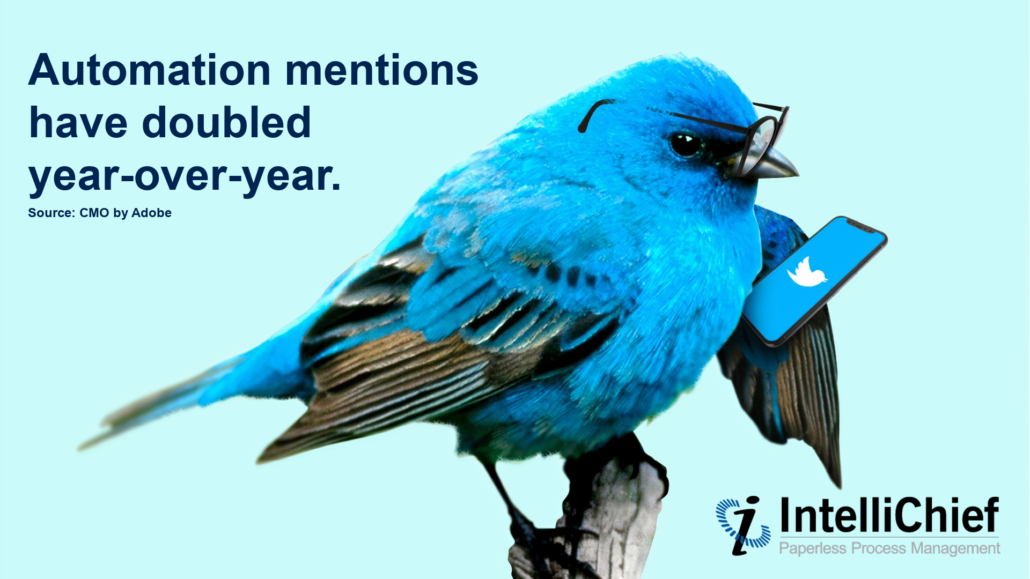
Automation is often viewed as the harbinger of death for human jobs, but this is a gross over-exaggeration that can be quickly disproven by examining how (and why) automation is being used by businesses all over the world. Public discussions about automation have surged year-over-year, reflecting growing interest in how technology and human workforces can evolve together. To truly understand the impact, it’s helpful to explore how the sentiment surrounding these conversations has shifted in favor of collaboration rather than competition. Here are a few examples:
Needless to say, automation shouldn’t be a source of worry, and for a good reason. The automation “trend” has taken root, and it’s not going away anytime soon. Employees are able to work faster and more efficiently without any repetitive, menial tasks. This empowers employees to do more creative tasks that can actually improve the organization. More than that, organizations that can work faster and more efficiently while simultaneously cutting costs and improving work-life balance for employees have already taken the necessary steps to prepare for a future where traditional working arrangements are no longer viable.
The Executive Perspective: Automation as a Strategic Investment
For C-level leaders — particularly CFOs, CIOs, and Controllers — automation isn’t just a back-office upgrade. It’s a strategic asset.
- CFOs see improved visibility, lower operational spend, and better cash flow
- Controllers benefit from clean audit trails, faster month-end closes, and higher data accuracy
- CIOs value native ERP integration and IT governance alignment
- Operations leaders get consistency, speed, and reduced risk
If you’re evaluating why automation is good for business, these are the outcomes that matter most: cost control, data integrity, process visibility, and scalable growth.
Choosing the Right Automation Partner
When evaluating automation providers, large enterprises should look for:
- ERP-native integration (SAP ECC/S4, Oracle JD Edwards/EBS, Infor)
- Proven AI capabilities with measurable STP success
- Consultative implementation approach grounded in best practices
- Support for multiple departments — not just AP or AR
- Robust reporting and analytics tools for ongoing optimization
IntelliChief’s platform delivers all of this in a unified, scalable solution—making it a top choice for organizations serious about transforming how work gets done through enterprise automation software.
Enterprise Automation: Once a Trend, Now a Requirement
Before the automation trend really took off, it was considered a luxury for enterprise leaders who not only had the infrastructure to support it but also the growth capabilities to afford it. Today, this is no longer the case. Automation technology and software have been retooled to boost business across all marketplaces. From start-ups to enterprises and beyond, automation is a difference-maker the likes of which we’ve never seen before, especially for large enterprises that can benefit from an integrated solution across multiple departments and locations. The automation trend is here to stay, and IntelliChief’s experts are standing by to ensure that your automation project capably addresses your challenges and helps you become more resilient (and profitable).
If you’re still unsure what enterprise automation is and how it applies to your business, remember this: it’s not a future concept—it’s a present-day necessity for operational excellence and long-term success.